

 1

Recommending products shoppers can add from the message
NotiSell puts product recommendations inside the feed, where shoppers can pick a variant and add to cart. You'll choose products by hand or from store data and read the results.

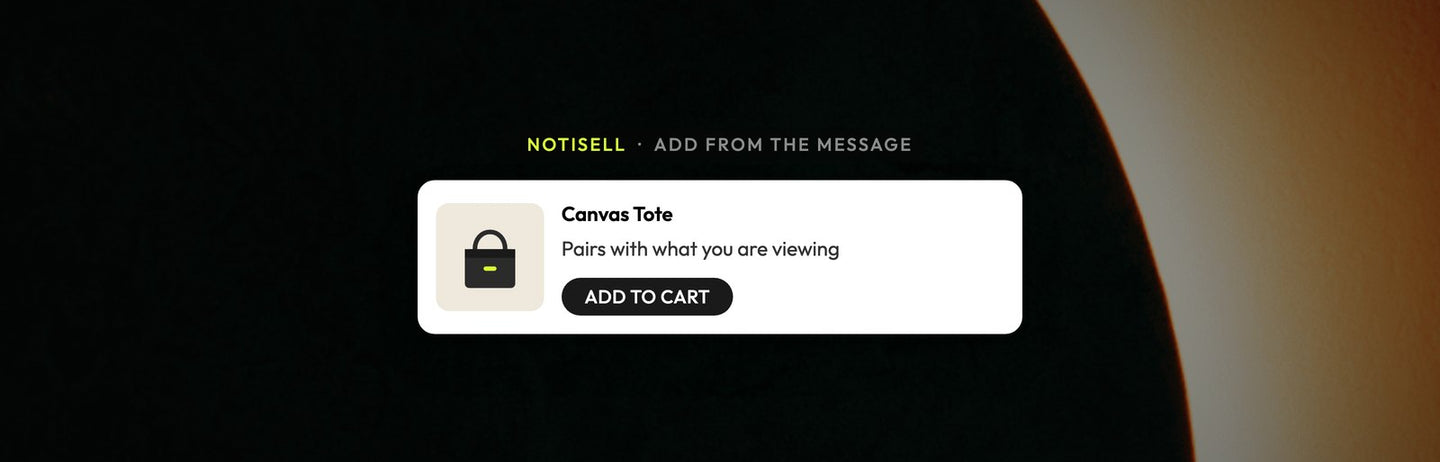
A recommendation you can act on
Most recommendations are not that easy to act on. A shopper is browsing and sees something they like. They tap through to the product page, choose a size, and then have to find their way back to where they started. NotiSell works differently. The product sits right in the notification. The shopper chooses a variant and adds it to the cart from the message, then lands on the cart page.
No product-page detour. That is the point. Each hop between "I want that" and a full cart is a chance for attention to wander off.
Choosing what to show
There are two ways to fill a campaign. You can curate the products yourself, which works well for a launch, a bundle, a seasonal push, or anything where the merchandising call is yours. Or you can let store data rank them with a method such as Best sellers or Trending. The ranked list doesn't refresh on its own, so for an always-on recommendation, refetch it now and then: remove a product, click Fetch products and save. You can do both, on different campaigns.
Variants, discounts, and subscriptions
Shoppers choose a variant right in the message. Picking a size or a color does not send anyone to another page. Discounts run as a Shopify automatic discount, so shoppers don't need a code. The reduced price applies to listed variants added with the NotiSell button, so keep Add product to the cart ticked or shoppers pay full price. One-time and subscription products both work: the Purchase type setting can show one-time, subscription, or both.
Where it fits
NotiSell is a module inside NotiFeed, not a separate channel, so a recommendation arrives in the same hub as everything else. A shopper clicks the bell for a shipping update, and a relevant product is right there, at a moment they chose.
Reading the results
Reporting is based on click attribution: products added to cart within six hours of a product click and bought in the same browser within 30 days. Atomato also tags orders that include a product added from the message. NotiFeed and NotiPop use the same rules, with a three-hour window for clicks that go to other store pages, so you can read all three modules together. Keep these numbers separate from NotiEmail's code-redemption numbers, which count something else.
NotiSell is available only on the Scale plan and above.
Want to try it? Install Atomato from the Shopify App Store, or read more at atomato.co.

Keep reading
Read next
-
-
Grow your store
A guide to announcing your loyalty program on your Shopify store
-



Ready to show the right message to the right shopper?
Start showing targeted on-site messages without changing your marketing setup. Atomato works alongside the popup, email and SMS tools you already use.
Five-minute setup. No theme code or developer needed.