


How to show different Shopify on-site offers to new and returning visitors


Displaying a capped welcome interrupt is for simply new visitors. A roaming of the site among the returning visitors is done by the path of loyalty, refill, or restock in a feed that can be reused, not the same "Welcome back! Get 15% off" popup which they already have. One creative for all of the people in one course trains returners to dismiss on sight and steals first-timers' attention from the product page.
The plan you are going to get will help you discover which campaign jobs belong to new or returning visitors. This is done with a decision table and a copy of before/after versions. Keep the ESP and the popup; split the path by visitor type.
Why a single creative for everyone does not succeed
Most of the stores launch the same welcome popup for every session: 10% or 15% off for an email. First-timers may convert. Returning shoppers who already subscribed, already redeemed WELCOME15, or already bought get the same interrupt again. They dismiss it in under a second. That dismiss habit then hits every other overlay you run.
On the other hand, you experience a first-timer who has been seeking quiet of time on a product page but receives the same interrupt that a brand know expert does. You lose both: list capture when it still matters and loyalty messaging when the shopper is ready for a different ask.
The visitor type is not just a vanity segment. It is the one that decides if the interrupt is worth its place or trains ignore.
Define new vs returning for on-site targeting
It isn't mandatory to get a perfect identity graph. Vendors typically follow the practical cookie or session rules of their popup and feed tools for the new vs. returning configurations which they already support:
New visitor — No prior visit cookie (or first session in a 30-day window). Often also: no known customer email in the browser, no prior purchase flag from your app or Shopify customer state when available.
Returning visitor — Prior visit cookie, or a known subscriber / customer flag. Consider "returning" as anyone who has already seen or used your welcome offer, even if they have not bought yet.
Make the rules unexciting and uniform for popup and feed. So, if the welcome popup either uses a 7-day suppress following dismissal, the feed should also not re-open the "first order 15%" card that was supposed to be shown to a brand-new customer. Suppress windows need to be aligned so that the new and returning paths remain distinct.
In case your stack can't differentiate between "seen welcome" and "never seen," that dichotomy is considerable enough to give a break to the same interrupt from being displayed once again.
New vs returning decision table
Consider using a decision table to address the issue of new vs returning campaigns. Each active campaign will be given a separate row in the table. If the welcome and loyalty both need a full-screen interrupt in the same returning session, one of them loses. The most likely candidate to lose is the welcome one.
The following table outlines the various campaigns and their corresponding features for new and returning visitors as well as other interactions associated with them. The user can also define certain suppress rules.
| Campaign job | New visitor primary | Returning visitor primary | Second touch (no new interrupt) | Suppress rule |
|---|---|---|---|---|
| Welcome / list capture | Timed popup (delayed) | Do not show welcome popup | Feed holds code after signup; ESP for leavers | Suppress welcome after dismiss, signup, or known return |
| Sitewide % off | Quiet banner or feed; popup only if no welcome this session | Feed card with code + end time | Email for known contacts | No re-popup every page for either type |
| Loyalty / thank-you code | Skip (no loyalty yet) | Feed card: members / thank-you code | ESP post-purchase sequences | Never as a second welcome-style interrupt |
| Free-shipping progress | Feed progress card after browse/ATC | Same — update remaining amount | No extra overlay | Popup only at a clear cart threshold if needed |
| Cart nudge | Soft corner or feed after ATC | Soft corner or feed; skip if they already know the brand path | Email/SMS after leave | Cap 1–2 soft nudges per session |
| Restock / refill | Quiet PDP capture if interested | Feed: refill due / restock of X | Email when back in stock | Never stack with welcome popup |
| Flash drop | Small PDP popup once | Feed card for that SKU after dismiss | Email for known fans | 1 per SKU per session; no homepage loop |
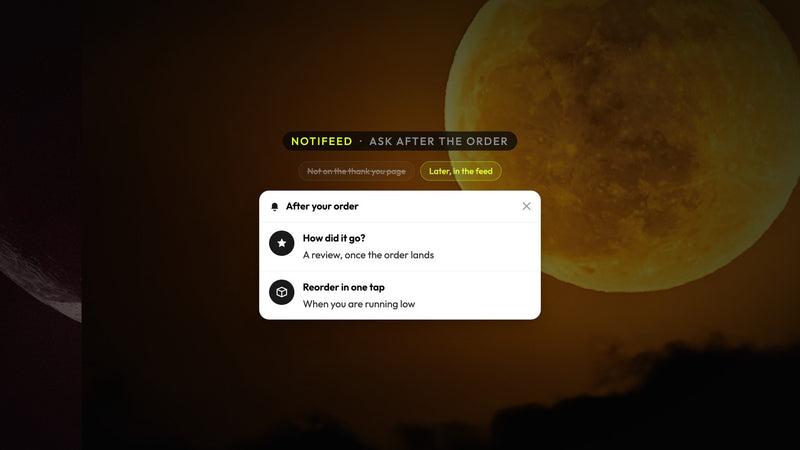
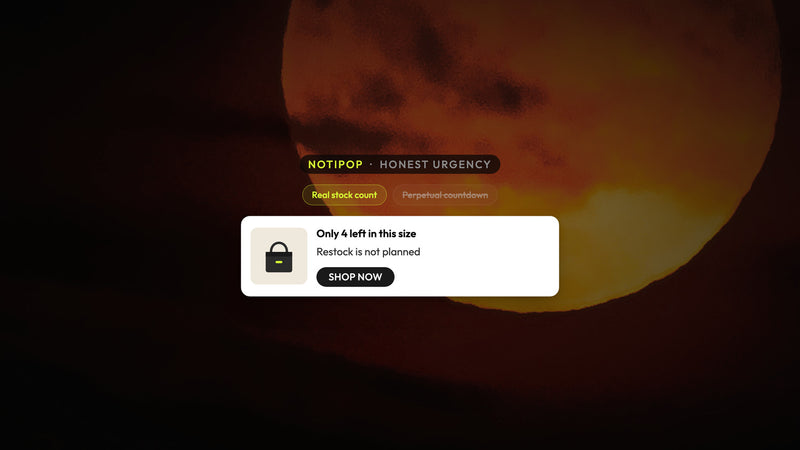
The first-time capped interrupt is implemented using NotiPop. In NotiFeed, the returner offers are displayed, therefore, shoppers view loyalty, refill, or restock intentionally. This is supplemented with when to use a popup, the feed, or both for the same offer - in this instance, the split is by visitor type, not solely by surface. The same discipline as how to set Shopify on-site campaign frequency without training shoppers to ignore you has been applied to the cap on the number of interrupts firing that are the same.
Steps: map offers, assign surfaces, suppress welcome for returners
- List all the on-site that can trigger (welcome, sale, shipping, cart, restock, loyalty).
- Identify which ones are exclusive to first timers and which ones are returner jobs.
- Assign new visitors: one welcome popup delayed at max; feed retains the code after the capture.
- Assign the returning visitors: suppress welcome; insert refill, loyalty, stock, or sale codes in the feed.
- Make sure cookie/suppress rules align; "seen welcome" should not re-trigger the same interrupt.
- Keep the ESP/SMS for those who leave and post-purchase — do not replace with another overlay.
- If your tools support it, monitor new and returning users separately (new welcome signup rate; feed opens / loyalty redemptions for returning).
The noticeable practical Atomato aspect: suppressing the welcome interrupt that is meant for returning visitors by keeping a reopenable feed card for the loyalty, refill, or restock. Same stack — popup, feed, ESP — different visitor type path. For a quieter list growth that does not hinder the PDP, see how to grow your email and SMS lists without interrupting shoppers.
Before and after: same creative vs split path
Before (same creative everyone):
Every visit: Popup! Welcome back! Get 15% off — enter email!
…returners already subscribed/ already used WELCOME15…
Dismiss the notification;next overlays get the same reflex
Problems: People who are not new get an invitation in welcome language, a code that they already used, and an interrupt that teaches ignore before loyalty or refill can land.
After (split path by visitor type):
New (delayed popup once, session + multi-day suppress): Welcome — 15% off your first order. Want the code in your inbox?
Email field → [Send code]
Feed card after signup: Your code is WELCOME15 · free shipping at $40 · [Shop bestsellers]
Returning (no welcome popup): Feed card — Your refill is due / members get free shipping at $40 / restock of [product] — shopper opens the bell
ESP only after leave or for post-purchase — not a fourth overlay
The after version gives the interrupt on first-timers, keeps the code reopenable in the feed, and gives returners a job that fits their reason for returning.
Mistakes checklist
- Showing "Welcome / first order %" to known returners or prior redeemers
- Same flash-sale full-screen for new and returning on every homepage load
- Loyalty or thank-you codes only in email while the storefront still pops welcome
- Restock interest capture stacked on top of a welcome interrupt
- No suppress after dismiss — reload = same popup again
- Measuring only popup views, not dismiss rate by new vs returning
- Turning visitor rules off during a sale week instead of tightening welcome suppress
If returners dismiss faster than new visitors, the creative is wrong for that segment — not under-fired.
Next step
Map today's campaigns to the decision table. Cap welcome for new visitors only, suppress it for returning sessions, and move loyalty, refill, and restock into a reopenable feed beside the popup and ESP you already run.
Install Atomato free on Shopify to split first-timer popups and returner feed cards without replacing your stack — or explore NotiPop and NotiFeed.
Returning buyers can get a delayed review or referral ask on a later visit; keep checkout thank-you free of that stack — how to ask for Shopify reviews, referrals, and reorders without another checkout interrupt.
Keep reading
Read next

Ready to show the right message to the right shopper?
Start showing targeted messages on the site without any change in your marketing setup. Atomato lives with your popup, email, and SMS tools.
Five-minute setup. No theme code or developer needed.