


How to set up Shopify restock alerts without another interrupt


When a certain size or SKU gets out of stock, the next effective action is certainly not a new full-screen interruption. Instead, you can capture interest on the product page of your website, keep a reopenable reminder in a storefront feed, and send an email or an SMS only to your contacts that you already have - or just have gotten - so that the interested shopper can continue their browsing.
This document presents the fundamental parts on-site for showing the Shopify restock alerts: what to display at stockout, what is included in a reopenable feed, what should wait for email/SMS, and a copy pattern you can paste.
Why restock alerts turn off storefront
Most stores follow one of two patterns. A "notify me" popup that is at the front of the page the moment the stock is depleted. Back-in-stock email reaches only the people who were already members of the list.
Both of these methods have defects. Customers, on the other hand, who get fed up with seeing the whole page of the interrupt, often do not come back for the specific piece. There are customers without an email address that find it impossible to subscribe to the waiting list. Besides, customers who subscribe sometimes receive one long email days after, and no site reminder when they are still on the site.
Consider restocking as a small ladder, rather than a modal window.
The restock path table
Use this as a decision map before you begin to write.
| Moment | Surface | Who sees it | Job |
|---|---|---|---|
| Size/SKU just sold out on PDP | Inline form or small corner card (not full-screen) | Shopper on that variant | Capture email/SMS or "remind me on site" intent |
| Same session, still browsing | Reopenable feed / bell card | Same shopper | Soft reminder they asked for restock; link back to the PDP |
| Hours or days later | Email or SMS | Known contacts only | Tell them it is back; deep-link to the variant |
| Next visit before restock | Feed card still available if they return | Returning shoppers who engaged | Quiet status update without a new interrupt |
Keep your existing popup for welcome offers, shipping thresholds, or flash sales. Restock does not need to replace those tools — it needs a quieter path beside them.
Capture interest without blocking the PDP
At stockout, the product page is already doing hard work: size charts, reviews, related items. A full-screen "notify me" fight for attention usually loses.
What to do instead:
- Disable or hide Add to cart for the sold-out variant (Shopify already does this).
- Show a compact "Notify me" field under the price or near the sold-out button — email, SMS, or both.
- Confirm in one line: "We will email you when this size is back" or "We will drop a reminder in your store notifications."
- Do not force a second popup if they already dismissed a welcome offer this session.
By employing Atomato, you have the means to display the capture step in two ways, either as a NotiEmail or NotiSMS card inside NotiFeed, or as a small NotiPop corner nudge which is delayed until after they engage the sold-out variant — not on first paint.
A message about restock: before and after
Before (typical interrupt):
WAIT — this just sold out!
Enter your email for 10% off when it returns.
[No thanks] [Notify me]
Issues: fake urgency, possible discount you do not need, and if they dismiss, a dead end.
After (path opened for shopper):
Size M just sold out.
Do you want a reminder when it is back? We will email you and keep a note in your store notifications.
Email: ________ [Notify me]
Feed card later: "Size M of the Coastal Tee is back in stock — open the product"
The version after this states the facts, makes two reminders available and inserts the discount fake scarcity only if the profit margin is truly satisfied.
Feed should have a restock reminder you can open
Email is not as fast as a surf session. If a person experiences a stock out at 2pm and the SKU returns at 2:20pm they might not catch the email if they are still on the site.
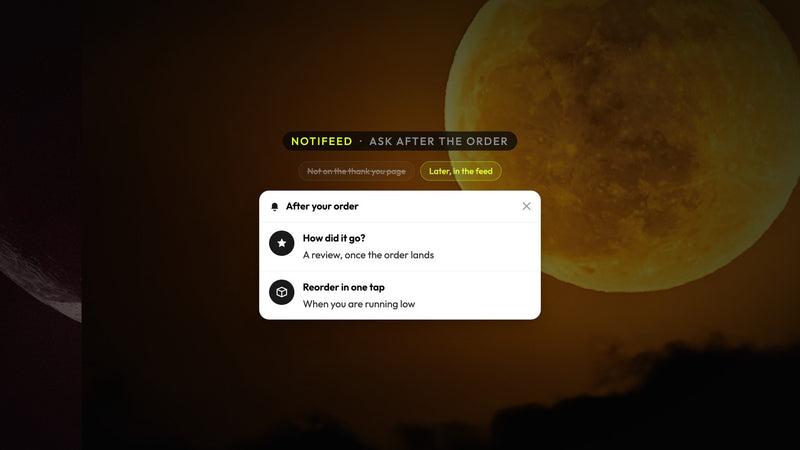
However, a storefront that notifies the visitors can solve the problem: the restock card can be reopened without covering the page and will be shown next to the others. When the product is back in stock, either the same card can be updated or a brand new "back in stock" card can be pushed that will be available for them to open.
Initiative of pairing that functions in the field:
- An individual restock card will be allowed per shade of interest - don't send spam with each colorway.
- Give the link directly to the specific URL of the variant with
?variant=so they arrive at the right size. - Cap the frequency: If the card has been disregarded twice, return to email only.
- Do keep ESP sync for the contacts you capture so Klaviyo/Omnisend/Mailchimp still have the waitlist for the long tail.
This operates hand in hand with how email capture works inside the feed and when to use a popup, the feed, or both.
Let email and SMS handle the long wait
On-site reminders hold attention till the same session and contribute to the next visit. The multi-day blocks are primarily with email and SMS.
Checklist for the outbound message:
- Subject should be the product and size, not "Good news inside"
- The first line should say it is back in stock
- The call to action should deep-link to the exact variant
- One reminder max unless they open and do not buy
- Suppress the send if the inventory is again gone
If you have a cart abandonment flow in place, keep restock in a separate flow so timing and design remain separated, - similar to the recovery action on-site before the email is sent, but for inventory rather than cart contents.
Measure the restock like any other on-site messages
Do not regard "sent emails" as the only metric for success.
Monitor:
- The capture rate on sold-out PDPs is calculated by dividing the number of form submits / sold-out PDP views.
- The feed opens and clicks on the restock cards.
- Email/SMS click-to-purchase within your attribution window.
- Attributed revenue from restock clicks — it should be noted that this is separate from the incremental lift unless you ran a holdout.
Atomato Analytics gives credit for acquisitions within the first 6 hours of a click on site messages. This is an attributed sale but it does not mean every single one would have been lost without it. A broader measurement framework can be obtained through how to measure the revenue generated by your campaigns.
Restock Setup Checklist
- Out of all high-velocity SKUs, marks the ones which variants sell out the most weekly?
- Use inline or corner capture on those PDPs — no full-screen block by default.
- Sync captures to your ESP waitlist flow.
- Include a feed card for re-opening for same-session / next-visit reminders.
- Start/End with the copy: fact first, reminder second, discount only if needed.
- Email deep-link and feed CTAs to
?variant=. - Weekly check the capture rate and attributed restock clicks; eliminate noisy SKUs.
Next Step
Select one hero product that is frequently sold out. Propagate the quieter capture + feed reminder this week, leave the welcome popup alone, and let the email manage the multi-day waitlist.
You can integrate Atomato into your Shopify store free of charge and offer an additional shopper-opened feed and on-site cards along with the tools you already use. You could also check out NotiFeed and the Heights case study, which are great resources to discover how a permanent discovery layer operates when the shopper is in control.
Keep reading
Read next

Ready to show the right message to the right shopper?
Start showing targeted messages on the site without any change in your marketing setup. Atomato lives with your popup, email, and SMS tools.
Five-minute setup. No theme code or developer needed.