

 1
1



Atomato updates
Atomato: the latest updates and enhancements
Atomato adds a feed behind a bell, small NotiPop messages, product picks and signups to your Shopify store. You'll see what each part does and where to read more.

Atomato is an on-site messaging app for Shopify. It runs a storefront bell and feed, small non-blocking NotiPop messages, and list capture inside the feed, and integrates with the ESPs you already use. This roundup covers what merchants can run today on each product surface.
NotiFeed: the notification feed shoppers open
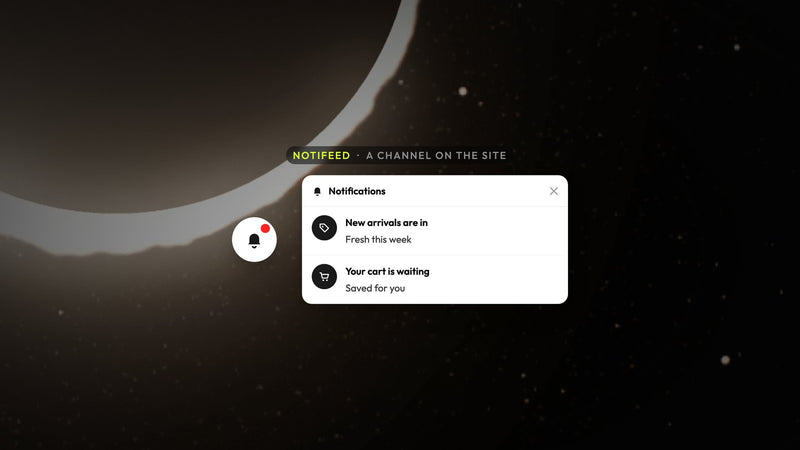
NotiFeed gives shoppers a bell they can open for restocks, drops, offers, and product cards. It works alongside your existing popup and does not have to replace it. If you are new to the feed model, see the NotiFeed product page or the guide to keeping your popup and adding a notification feed.
The feed adds another layer to on-site messaging. It works best when the shopper decides when to read the next update.
NotiPop: on-site messages that need one interruption
NotiPop is a small message that appears over the page without blocking it, after a delay, a scroll or a pause in activity, or when a cart or exit-intent rule matches. Pair it with the feed so follow-ups don't need a new prompt. For the basics of on-site copy that converts, read what makes an on-site message convert.
Reserve NotiPop for a single offer, one action and one clear next step. Move everything else into the feed.
NotiSell: product cards shoppers can add from the message
NotiSell lets you suggest products as cards in the feed that shoppers can add to their cart. You pick the products or rank them from store data, such as best sellers or trending items, and page and cart rules decide when the message shows. On a product page, Smart sorting moves listed products that Shopify marks as complementary to the top. For worked examples, start with how to recommend the right products based on page and cart activity and recommending products shoppers can add from the message.
NotiSell is a good place to promote bundles, complementary products, and restocks that should not have to wait for an email.
NotiEmail and NotiSMS: grow lists without another noisy overlay
NotiEmail and NotiSMS collect contacts inside the feed on your site, then sync them to Klaviyo, Mailchimp, Omnisend or Drip, with phone numbers going to Klaviyo or Mailchimp. Atomato does not send the marketing emails or texts for you. For practical list growth without stacking interruptions, read how to grow email and SMS lists without interrupting shoppers.
For restocks, a capture in the feed works well when the shopper is already engaged with it. Save the heavy interruption for moments that truly need it.
Analytics: credit clicks, not views alone
Analytics attributes revenue to a campaign when a shopper clicks one of its buttons, adds products to cart within a set window and later checks out in the same browser. View-only impressions do not count toward the revenue column. For details, read how to measure the revenue generated by your campaigns and what the six-hour attribution window measures.
Check click-throughs and attributed orders together. A high open rate with few clicks usually means the message title worked but the body was weak.
Progress and AOV campaigns you can run now
Free-shipping and free-gift progress, bundles, and complementary product cards are still the core playbooks for building larger baskets without adding another discount code. To learn more, read how to use free-shipping and free-gift progress campaigns and 7 ways to increase Shopify AOV without another discount.
Progress messaging works in both NotiPop and the feed. Use NotiPop for the first threshold reminder and the feed for updates as the cart changes.
Audience rules
Aim each campaign at the right shoppers. Page, cart, and audience rules keep restocks and offers from being pushed into every session. How to decide who sees a campaign covers what you need to know.
The more specific the audience, the fewer the impressions and the better the clicks. That trade is worth it, especially if you want real revenue rather than vanity views.
Where to go next
The atomato.co website has the product overview, and pricing details are on the Pricing page. For a merchant success story, read the Heights case study. To install, go to Atomato on the App Store.
We will keep this post up to date, like a changelog, as new features ship, such as the scheduled theme switch covered in how to schedule a Shopify theme switch for a sale. For a dated history of releases, see the Changelog.
Keep reading
Read next
-
-
Atomato updates
NotiFeed: a new on-site channel for shoppers
-

Ready to show the right message to the right shopper?
Start showing targeted on-site messages without changing your marketing setup. Atomato works alongside the popup, email and SMS tools you already use.
INSTALL FREE ON SHOPIFY
Five-minute setup. No theme code or developer needed.